Five kinds
A dashboard, a report, a presentation, a table explorer, or an app with pages and filters.
Features
Ask your company data in plain words, keep the answers, and decide what the AI may reach.
01 Chat
Sespre answers from your own systems, with charts and tables, and keeps the query behind each number.
How did invoicing go this quarter?
Invoicing rose 8% on the quarter before, to €401k. September was the strongest month.
The chat reads only the data its team may read. Postgres enforces it, not the AI.
Each answer keeps its queries: the SQL, the tables it read, the rows and the time.
Sespre draws them with its own components, not with code the AI writes.
Heavier calculations run as Python in a locked sandbox with no database access. Data goes in and out as files.
Sespre speaks English, Finnish, Swedish, German, French, Spanish and Italian.
02 Connectors
Connect your CRM, your project tool and your own databases. Their data syncs into one database that only your company uses.
Pipedrive, HubSpot and Visma Severa, and your own PostgreSQL, MySQL / MariaDB or SQL Server database.
An assistant takes you through each step in chat, with a checklist beside it. Keys go in a secure form, never in the chat.
Reach a database in a private network through an SSH tunnel, with a read-only user. Sespre checks the SSH server's host key.
Credentials are encrypted on your instance. No answer and no log line shows a secret.
03 Dashboards and reports
Turn answers into dashboards, reports and presentations. They run their queries again on your latest data, with no AI call.
Weekly invoicing
Invoiced
Weekly invoicing
Invoiced
Weekly invoicing
Invoiced
AI summary Invoicing rose for the third week in a row, to its highest this quarter.
A dashboard, a report, a presentation, a table explorer, or an app with pages and filters.
Opening one runs its queries again on the team's data. The AI model is not called.
Run it every week, month, quarter or year. Each run freezes an edition, with an AI summary if you want one, and a review before it is published if you want that.
Members get a notification and an email with a link. The email holds no numbers.
Print a presentation, report, table explorer or app to PDF. Export a table's rows to CSV.
04 Studio
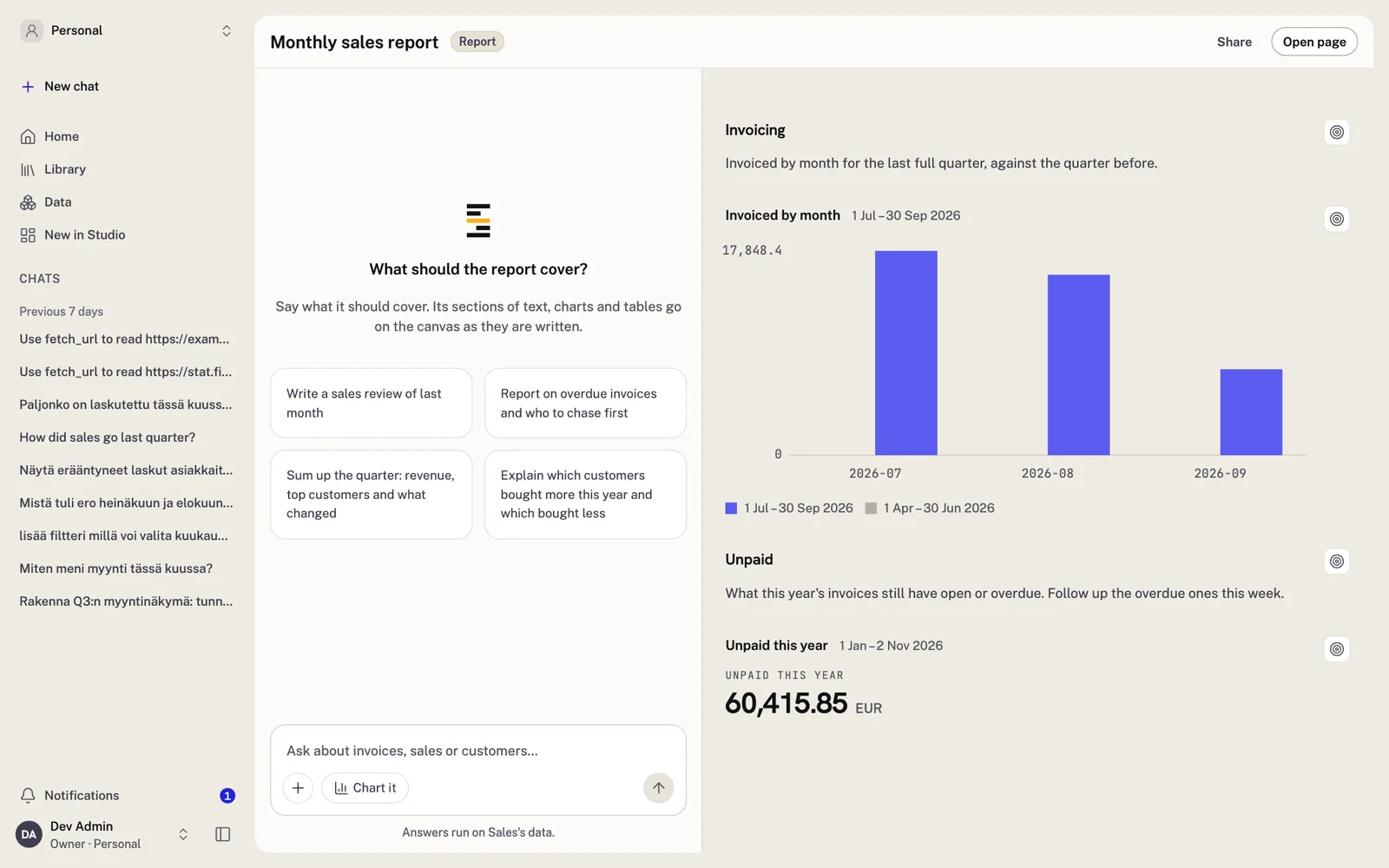
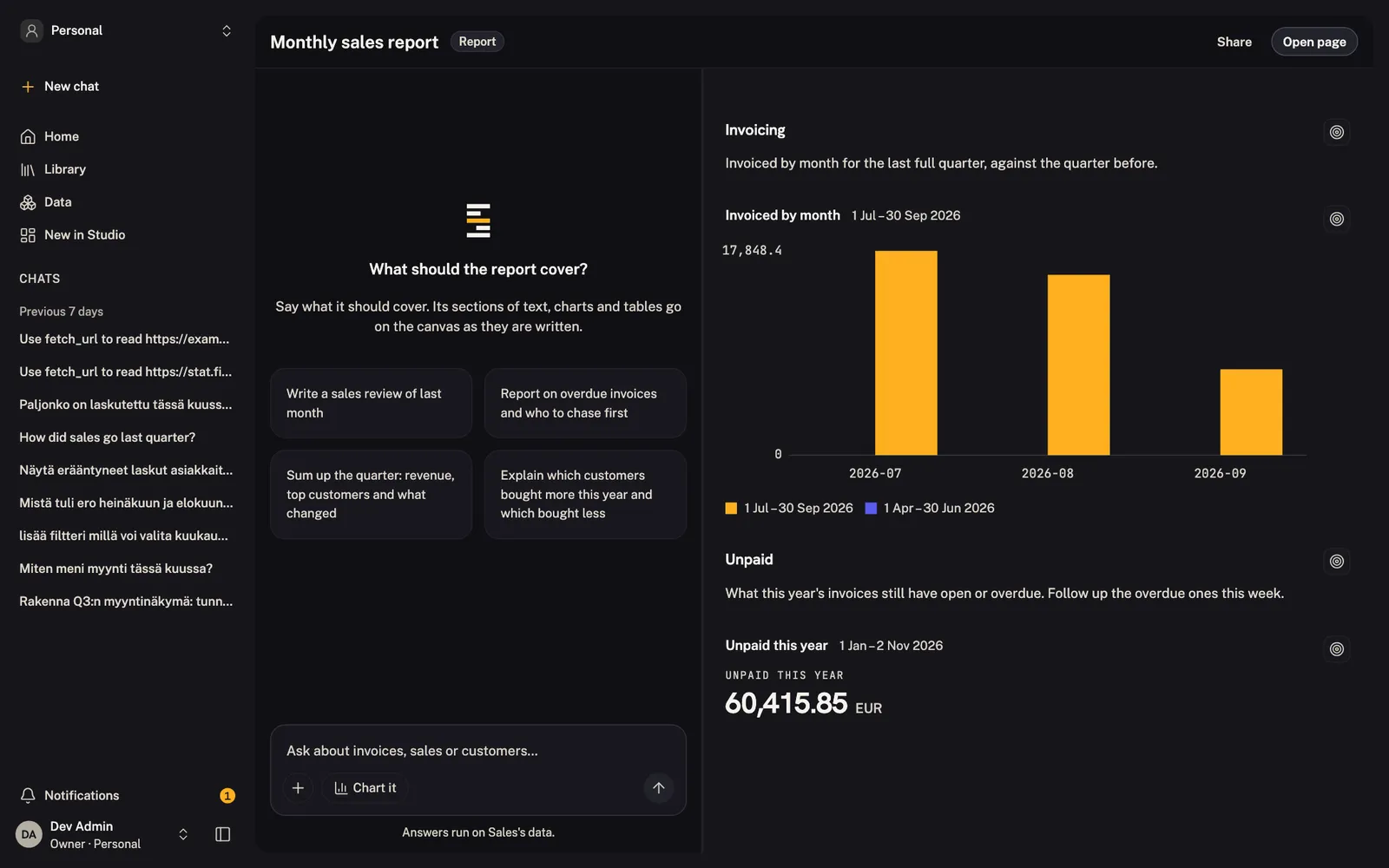
Studio puts a chat beside the dashboard, report or presentation you build. Ask, and the charts and tables appear on the canvas.
Start a dashboard, report, presentation, table explorer or app.
Ask in the chat. Sespre saves each chart and table and puts it on the canvas as you watch.
An empty chat suggests four things to ask, made for the kind you build.
See who else has it open in Studio. Each change reaches everyone at once.
2 people here
05 Agent firewall
Every request the AI agent sends goes through one firewall. It checks what goes out and logs what it stopped.
Outgoing requests · this chat
Firewall on
The agent fetches only from domains your admins approve. One click adds the EU public data preset, with ec.europa.eu, stat.fi and the ECB's data API.
Turn it on, and when the agent wants a page from another domain, the person who asked sees the address and approves or refuses it.
Each fetch is checked for secrets, email addresses, phone numbers, full names, values from your query results, random-looking tokens and private network addresses. Each check blocks, warns or is off.
Pages that come back are checked for prompt injection. By default the agent makes at most 5 fetches a turn, 30 a chat and 100 per person an hour.
The activity log shows every fetch, what was blocked and why. It never stores the value a check found. Every settings change is in the audit log.
06 Teams
Chats, dashboards and reports belong to a team. The database decides which data each team reads.
Every person has a Personal space that nobody else sees, admins included.
Make a member Viewer, Editor or Owner, or pick the exact permissions. Admins give each person a model budget by day, week or month, so no one overspends.
Add Microsoft Entra groups to a team. Each sign-in updates who is in them.
A team reads only the data its managers allow. Postgres enforces it, with a database role for each team.
Share one dashboard or report with a colleague outside the team. They see it and its numbers, nothing else. There are no public links.
07 Your branding
Add your logo, and Sespre takes three colours from it. Everyone in your company sees them.
Type your company's domain and Sespre can find your logo. Only the domain leaves your instance. No logo found? Upload one.
Sespre takes a primary, a dark and a light colour from the logo. Change any of them yourself.
Each person picks light, dark or auto, which follows their system. Your colours work in all three.